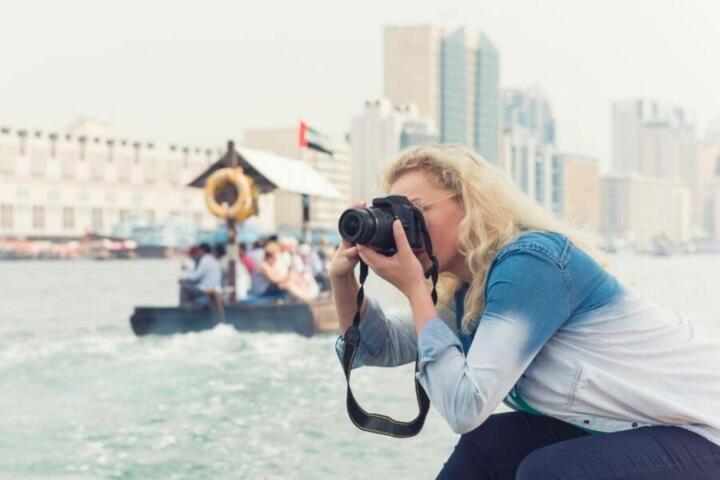
Photography Rules While Traveling
Photography restrictions are rules that limit when, where, or how you can take photos and videos. They show up in places with privacy risks, safety concerns, or legal limits, such as hospitals, courts, government buildings, and some religious sites. Even in public spaces, people may expect privacy, and local laws can treat certain images differently. For example, a museum may allow still photos but ban flash, while a courthouse may restrict cameras inside courtrooms. On public transport, staff may ask you to stop filming if it captures other passengers’ faces or personal information.
Restrictions are usually enforced through a mix of signage, staff instructions, and access controls like bag checks or camera storage. The rules often depend on the venue’s purpose: medical facilities focus on patient privacy, courts focus on fair proceedings, and some cultural sites focus on ritual spaces. If you travel with a camera, plan for the possibility that you will need to switch modes quickly, such as turning off flash or leaving a restricted area. I keep a note on my phone with the venue name and the exact wording on any posted sign, because translations can be messy and staff may ask what you were told.
Common Pain Points And Misreads
People often assume that “public” means “unrestricted.” Many jurisdictions treat filming in public as generally permitted, but they still restrict recording in sensitive areas, and they can restrict how images are used afterward. Another frequent mistake is treating a single rule as universal across a site. A museum might permit photography in galleries but ban it in conservation rooms, gift shops, or temporary exhibitions.
Privacy expectations create another layer. Hospitals and clinics typically protect patient information, and staff may ask you to stop if your camera points toward identifiable individuals, even if you are photographing a hallway. Courts can restrict cameras to protect witnesses, jurors, or the integrity of proceedings. Religious sites may restrict photography in areas used for worship, and staff may ask you to avoid photographing ceremonies or faces of participants.
Supporting technologies also shape what happens on the ground. A phone’s face-detection autofocus can make it easier to capture identifiable faces unintentionally, which is one reason staff sometimes intervene even when you think you are filming “the building.” Some venues use CCTV and visitor tracking to enforce rules, and others rely on staff observation. If you use a drone, restrictions become stricter and more technical, with airspace rules and registration requirements that vary by country.
How To Handle Restrictions
Check Signs And Ask Early
Start with posted rules at entrances, ticket desks, and specific rooms. If signage is unclear, ask staff before you raise the camera. Use a short, neutral question like, “Is photography allowed here, and are there any limits on flash or filming?” If the venue provides a permission form or a designated photo area, follow it even if you think the shot is minor. In practice, staff decisions often depend on the room, not just the building.
When you ask, note the exact constraints. For example, “no flash” and “no video” are different restrictions, and mixing them up leads to conflict. I’ve seen visitors assume “no flash” means “video is fine,” then get stopped when staff notice a continuous recording. If you travel with a camera app, check your settings before you enter, because some apps remember the last mode and can turn flash back on after a reboot. On my phone, I keep a habit of verifying the camera app version (I last checked v14.2 in May 2026) and confirming flash is off.
Respect Privacy And Sensitive Areas
Keep your framing away from identifiable people when you are in health, legal, or private-service spaces. If someone enters your frame, pause and recompose rather than continuing to record. In hospitals, avoid photographing signage that includes patient identifiers, appointment boards, or screens showing personal details. In court settings, follow any “no recording” instructions for courtrooms and waiting areas, since rules can differ by room and stage of proceedings.
Practical technique matters. Use zoom instead of stepping closer, and avoid shooting through glass where reflections can capture faces. If you must photograph an interior, aim for architecture, exhibits, or empty spaces. If staff ask you to stop, comply immediately and ask where you can continue. A mild frustration is normal when you planned a shot, but arguing tends to escalate and can lead to confiscation or bans.
Use Permissions For Paid Or Special Access
Some venues offer photography permissions for commercial work or for large equipment. Ask whether you need a permit, a letter, or a specific time slot. If you are using a tripod, stabilizer, or external lighting, treat it as a separate question from “still photos.” Many restrictions are triggered by equipment size and the risk of blocking walkways.
For events, check whether the venue distinguishes between personal photography and professional filming. If you are photographing for a blog or portfolio, the venue may still treat it as commercial use. Keep your request specific: “I’m taking still photos for personal use; is that allowed?” If they say no, ask whether they offer an alternative like a photo pass or a designated area. I once saw a museum allow handheld photos but require a permit for any video longer than a few seconds, and the staff explained it as a crowd-management issue.
Plan For Deletion Or Data Handling
Some locations request that you delete photos on the spot. That request can be tied to privacy or legal compliance, and refusing can lead to removal from the premises. If you want to reduce risk, avoid capturing faces in restricted areas and keep your camera ready to stop quickly.
When deletion is requested, ask how they want it done. Staff may ask you to delete from your device, from a memory card, or from cloud-synced storage. If you use cloud backup, remember that deleting locally may not delete remote copies immediately, depending on your settings. A cautious approach is to disable automatic uploads while you are in sensitive areas, then re-enable afterward. I keep a note of my cloud sync setting (for example, “upload on Wi‑Fi only”) because it affects what “deletion” means in practice.
Educational Case Examples
Scenario 1: Clinic hallway photo request. A traveler enters a clinic lobby with a phone camera to photograph a wall mural. The traveler notices a posted sign about patient privacy and keeps the camera pointed at the mural. A staff member approaches and asks the traveler to stop because the mural photo includes a waiting area where patients are visible in the background. The traveler pauses, lowers the camera, and asks whether photos of the mural are allowed from a different angle. The staff member allows a re-shot from a position that excludes identifiable faces.
Scenario 2: Museum gallery with flash limits. A visitor takes still photos in a museum gallery. The museum allows photography but posts a clear “no flash” rule near the entrance to the room. The visitor’s camera uses an automatic flash mode and fires once. A guard stops the visitor, explains the rule, and asks them to switch off flash. The visitor complies and continues with flash disabled, then checks the camera settings again before moving to the next room.
Checklist And Comparison
| Place Type | Common Restriction | What To Do | What To Avoid |
|---|---|---|---|
| Hospitals / Clinics | No identifiable patient images; sometimes no photos at all | Frame away from people; ask before shooting interiors | Screens with personal details; close-ups of faces |
| Courts / Hearings | No cameras in courtrooms; limited areas only | Follow room-by-room rules; stop when asked | Recording during proceedings; filming jurors or witnesses |
| Museums / Exhibits | Flash bans; sometimes no video or no tripods | Check signage per room; keep equipment small | Flash; filming restricted rooms; blocking aisles |
| Religious Sites | No photos in worship areas; face restrictions | Ask about allowed zones and times | Photographing ceremonies up close; using flash |
Step-by-step checklist before you shoot:
- Read signage at the entrance and at the specific room door.
- Check your camera settings for flash and video mode so you do not trigger a rule by accident.
- Scan your frame for identifiable faces and personal information screens.
- Keep equipment compact; avoid tripods or lights unless the venue confirms they are permitted.
- If staff ask you to stop, pause immediately and ask where photography is allowed.
- After you leave, review your images and delete anything that violates privacy expectations.
Common Mistakes That Reduce Trust
One mistake is ignoring “room-specific” rules. People often follow the general entrance sign but miss additional restrictions posted inside. Another mistake is treating staff requests as optional. Even when a rule seems overly strict, staff are usually acting under venue policy or local requirements, and refusing can lead to removal or a ban.
Visitors also overestimate what their camera captures. A wide-angle lens can include faces in the background, and a zoomed shot can still capture identifiable details if it includes a person’s face or a readable screen. Some travelers share images publicly without checking whether the venue restricted publication. If a site bans photography entirely, posting images afterward can create a new compliance problem.
Finally, people sometimes rely on “I didn’t mean to” as a defense. Intent matters less than the outcome in privacy and safety contexts. A better approach is to prevent the outcome by composing carefully, using zoom, and stopping when someone enters your frame. If you are unsure, ask before you shoot, then adjust your plan. I’ve noticed that the most cooperative visitors ask a single clear question, then follow the answer without negotiating.
FAQ
Are photos allowed in public streets?
Many places permit photography in public areas, but restrictions still apply near sensitive sites, and privacy expectations can affect how you frame people. Local rules can also restrict filming in certain government or transport areas.
Can museums ban flash even for still photos?
Yes. Museums often restrict flash to protect artworks and visitors, and they may also limit tripods or video length. Follow the posted rules for each room.
What should I do if staff ask me to stop filming?
Stop immediately, lower the camera, and ask what is not allowed. If they permit photography from another angle or area, follow their guidance and avoid repeating the same framing.
Do privacy rules apply in hospitals?
Yes. Hospitals typically protect patient privacy, so staff may restrict images that include identifiable people, screens with personal details, or areas where patients are visible.
Is deleting photos enough if I already shared them?
Deleting from your device may not remove copies already shared to others or uploaded to cloud services. If a venue requests deletion due to privacy or policy, ask how they want it handled and avoid re-uploading.
Author's Insight
Photography restrictions usually come from three sources: privacy protection, safety and crowd management, and legal limits tied to specific venues like courts or regulated facilities. The same city can have different rules across neighborhoods, and the same building can have different rules across rooms. Staff instructions often reflect venue policy and local compliance requirements, so the practical response is to pause, ask, and adjust your framing. For travelers, the most reliable method is to treat signage as the first source of truth and to verify constraints before you start recording. I also recommend checking your device settings for flash and cloud sync so “deleting” matches what actually happens on your storage.
Key Takeaways
- Photography rules vary by venue and room, not just by whether an area feels public.
- Privacy-sensitive places often restrict identifiable people and readable personal information.
- Ask staff early when signage is unclear, and follow their instructions without arguing.
- Check camera settings (flash, video mode) and plan for possible deletion requests.
- After your visit, review images and remove anything that violates privacy expectations.